


Logos Bible
4.815.78K Reviews
App Specs
- Version
- 53.0.0
- Updated On
- License
- Free
- Downloads
- 1,000,000+
- Developer
- Faithlife
- Categories
- Books & Reference
- Platform
- Android, iOS
Screenshots
 Analysis by AppCompare
Let's dive into the world of Logos: Deep Bible Study, an app that's a true game-changer for anyone looking to enhance their Bible study experience. Whether you're a seasoned theologian or just starting your spiritual journey, this app promises to be your companion, providing a wealth of resources right at your fingertips. So, let's explore what makes this app stand out in a sea of digital study tools.
Getting Started with Logos
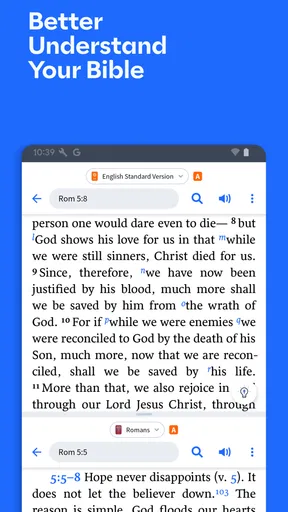
When you first open Logos: Deep Bible Study, you’re greeted with a clean and intuitive interface. The designers have clearly put a lot of thought into making sure that users can easily navigate through its vast library. I found myself quickly accessing different translations of the Bible, commentaries, and various reading plans. It’s like having a library in your pocket.
To get started, you’ll need to create an account. This process is straightforward, and in no time, you’ll be exploring the app’s features. One of the first things I noticed was the app's ability to sync across devices. This means you can start a study on your phone and pick up right where you left off on your tablet or computer. Handy, right?
Features Galore
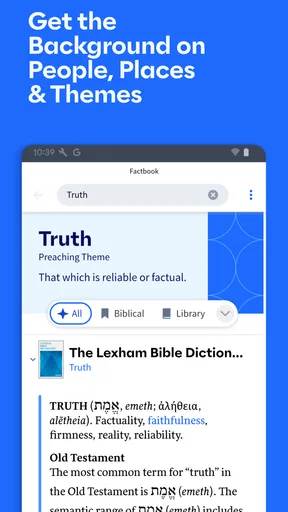
Now, let’s talk features. Logos packs a punch with its extensive library. We're talking thousands of books, commentaries, and Bible study tools. The app offers different packages, from free to premium, each unlocking a deeper level of content. For those serious about their studies, investing in a higher tier might be worth the consideration.
One feature I particularly enjoyed was the ability to create detailed notes and highlights. You can tag sections, add your thoughts, and even link to other resources within the app. It’s an excellent way to keep all your insights organized and easily accessible.
The Power of Search
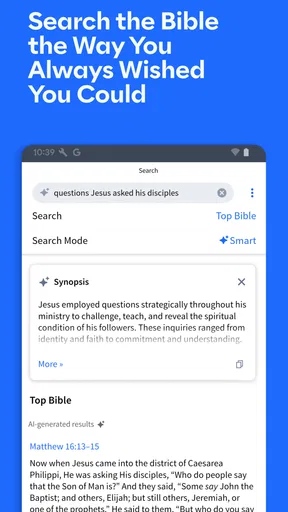
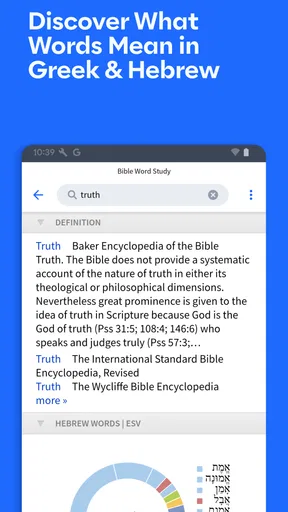
If you’re like me and often find yourself searching for specific verses or topics, the search function in Logos is a lifesaver. The app’s search capabilities are robust, allowing you to find what you need in seconds. Whether you’re looking for a particular verse or want to explore themes like faith or love, the search tool has got you covered.
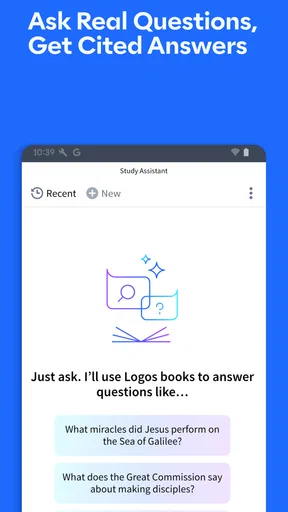
Moreover, the app offers a fascinating feature called Passage Guide, which brings up relevant resources, commentaries, and even visual aids related to any Bible passage you’re studying. It’s like having a personal study assistant at your disposal.
Worth Reading Before You Choose

EA SPORTS FC Mobile 26 Is a Bigger Football Game, but It Takes Time

Flipboard Shows What News Apps Must Do Beyond the Feed

Switching to Android Auto Means Rethinking Your Driving Routine

Google Calendar Makes a Crowded Week Easier to Manage

Ludo King Makes the Most of the Minutes Between Plans

Baby Panda World Brings Quick Play to Modern Phones, but Its Game Library Feels Busy
Study Plans and Community
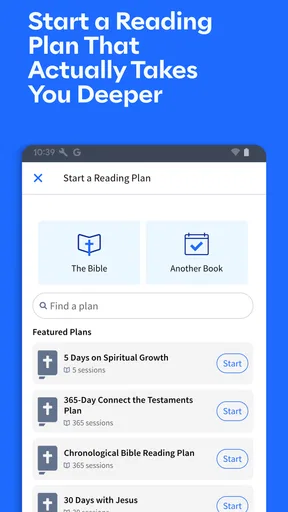
For those who appreciate structure, the app’s study plans are a fantastic addition. You can choose from a variety of plans, whether you want to read through the Bible in a year or focus on specific topics or books. Having a plan keeps you accountable and ensures you’re consistent in your study.
Another aspect I found appealing is the community feature. You can join groups, share insights, and even participate in discussions. It’s a great way to connect with others and gain different perspectives on your study material.
Room for Improvement
While Logos: Deep Bible Study is packed with features, there are a few areas where it could improve. The app can be a bit overwhelming for new users, given the vast amount of content available. A more guided tutorial on how to use all the features might be beneficial for beginners.
Additionally, some users might find the premium packages a bit pricey. However, considering the amount of content and resources you get, it could be seen as a worthwhile investment for serious students of the Bible.
Final Thoughts
All in all, Logos: Deep Bible Study offers an impressive suite of tools for anyone looking to deepen their understanding of the Bible. Whether you’re studying solo or as part of a community, this app provides everything you need to enhance your journey. With its vast library, powerful search capabilities, and supportive community, it’s a must-have for anyone serious about Bible study.
If you’re ready to take your studies to the next level, give Logos a try. It might just become your favorite spiritual companion.
Pros
- Comprehensive library of biblical resources.
- Intuitive interface for easy navigation.
- Advanced search options for quick references.
- Offline access to resources enhances usability.
- Customizable reading plans and notes.
Cons
- Requires a large amount of storage space.
- Occasional lag on older devices.
- In-app purchases can add up quickly.
- Limited free content compared to paid options.
- Initial setup can be time-consuming.
FAQs for Logos Bible
What features does Logos: Deep Bible Study offer?
Logos: Deep Bible Study provides an extensive library of biblical resources, including commentaries, dictionaries, and translations. It offers tools for in-depth study such as passage guides, original language tools, and sermon resources. Additionally, users can sync their notes and highlights across devices, making it a comprehensive tool for both casual readers and serious scholars.
Is there a cost associated with using Logos: Deep Bible Study?
Logos offers both free and paid versions. The free version includes a basic library and essential study tools, while the paid versions provide access to larger libraries and advanced features. Subscription plans are available for users who want more extensive resources and capabilities. Pricing varies based on the package selected.
Can I use Logos: Deep Bible Study offline?
Yes, Logos allows offline access to downloaded resources. Users can download books and study materials to their devices for offline reading and study. This feature is particularly useful for those who wish to continue their studies without an internet connection, ensuring accessibility at all times.
How user-friendly is Logos: Deep Bible Study for beginners?
Logos is designed to cater to both beginners and experienced users. While it offers advanced tools for in-depth study, its interface is intuitive and user-friendly. Beginners can easily navigate through its features with the help of tutorials and guides, making it accessible for all levels of Bible study enthusiasts.
Is Logos: Deep Bible Study available on multiple devices?
Yes, Logos is available on multiple platforms, including Android, iOS, Windows, and Mac. Users can sync their work across different devices, ensuring seamless access to their study materials and notes. This cross-platform compatibility makes it convenient for users to study anytime, anywhere.


